
#Traceability
Traceability answers three questions: is every requirement verified, is this release ready to ship, and what does a requirement lead to. It is part of the Requirements option of the Plan capability.
#The matrix
Matrix at the top of the Requirements tab replaces the list with a matrix, three ways: Requirement × Use case (the default), Requirement × Epic and Persona × Use case. Each cell is verified, failing, in development, stale, never run, or empty when nothing links the two. A Metric column shows the value of the requirements a measure verifies.
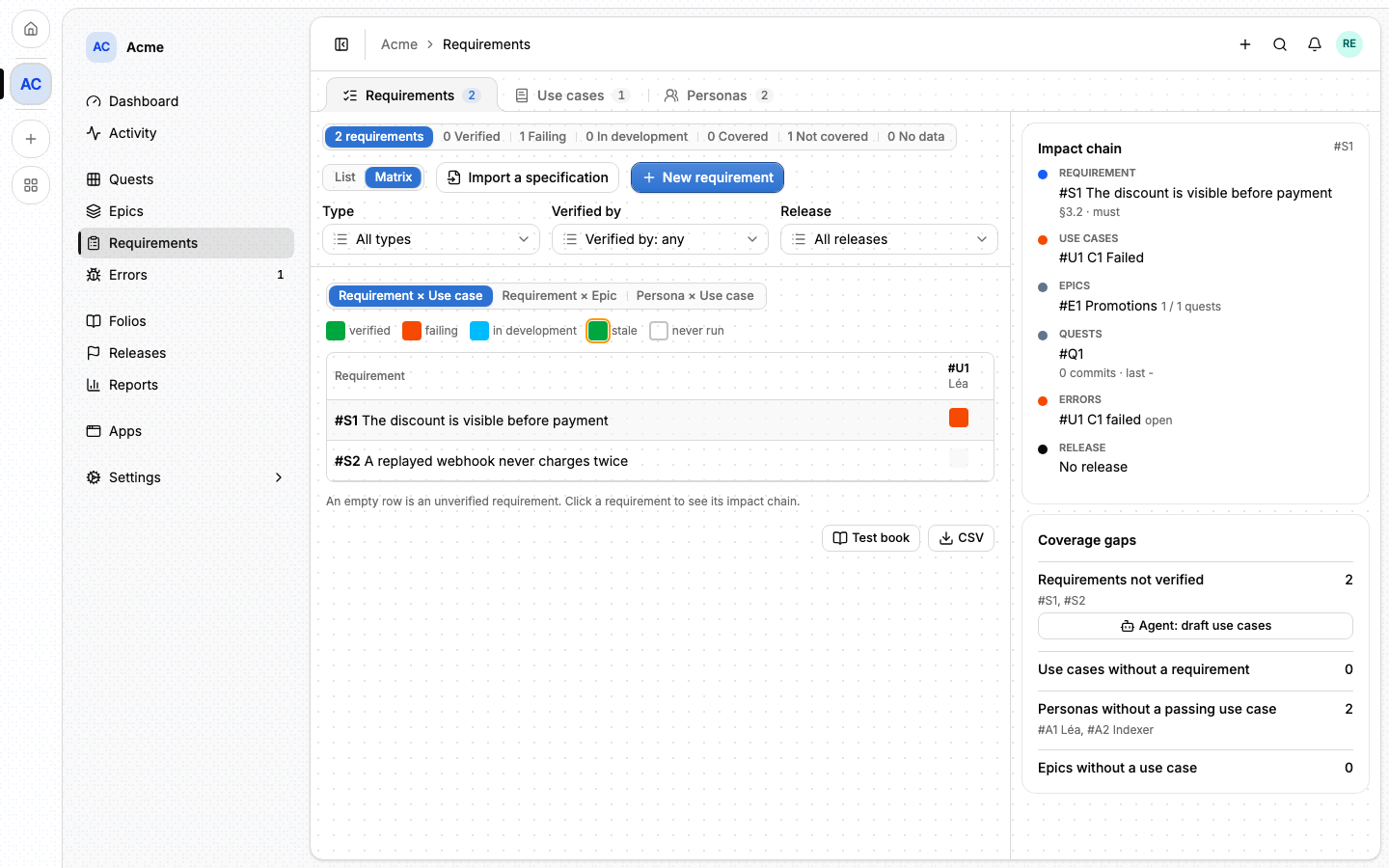
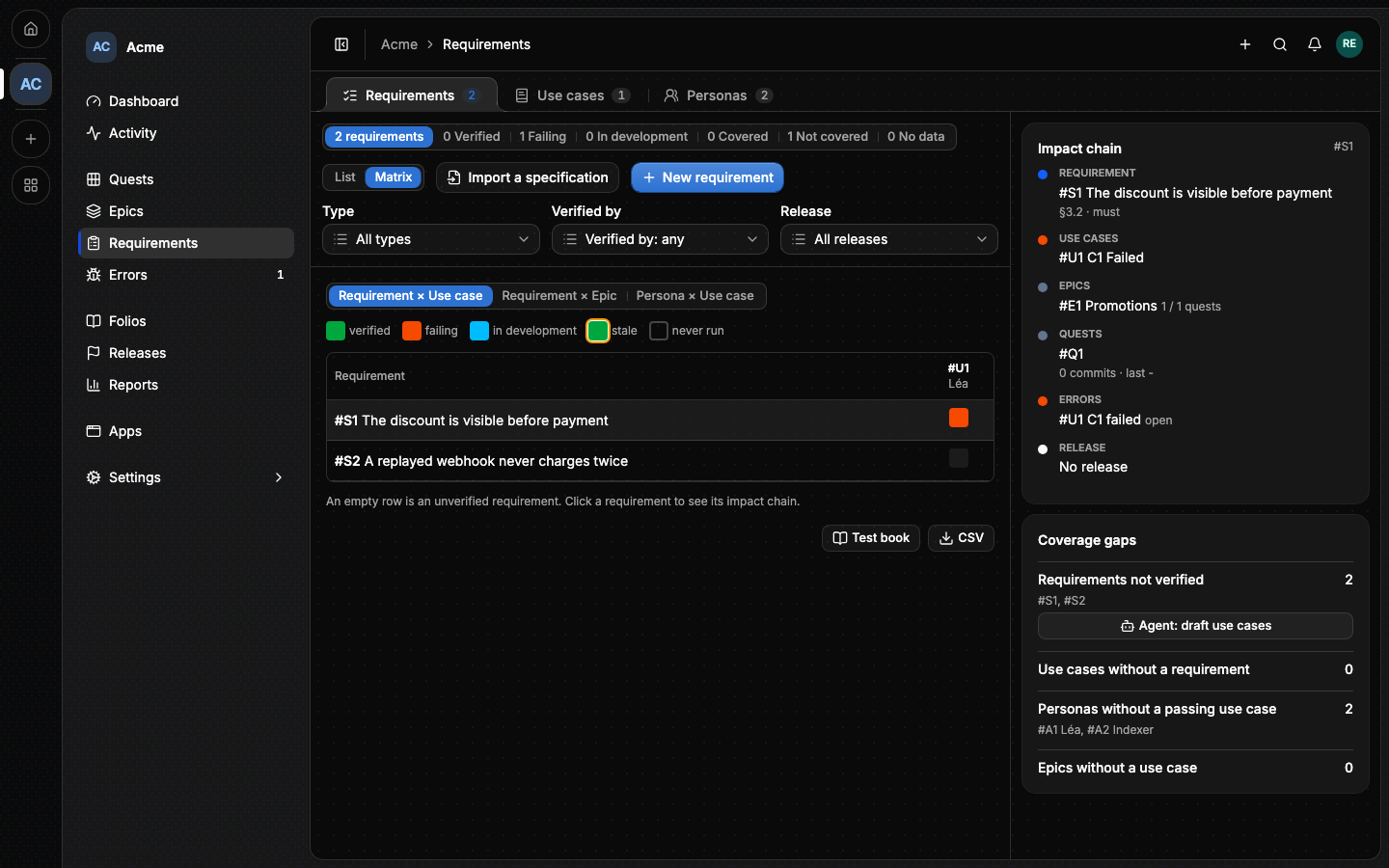
An empty row is a requirement nothing verifies. Clicking a row opens its Impact chain: the requirement, its criteria per use case, the epics covering them, their quests and commits, the errors its criteria opened, and its release.
#Release readiness
Picking a release in the Release filter shows its readiness: the Must and Should requirements verified out of all, and the failing Musts by name.
By default this is a warning. Block a release on a failing Must, under Settings ▸ Plan, makes it a rule: publishing a release whose Must requirements fail is refused, naming them. The switch needs the Requirements option on.
#Coverage gaps
Beside the matrix, Coverage gaps lists what is missing, each with its fix:
- Requirements not verified: Agent: draft use cases opens the Verify dialog with a prompt that drafts the use cases a requirement needs.
- Use cases without a requirement.
- Personas without a passing use case.
- Epics without a use case: draft their use cases the same way, or Mark as technical an epic that has none on purpose (a migration, a logging change), which takes it out of the list.
#Exports
CSV downloads the requirements, one row each, with their chapter, paragraph, priority, status, release and what verifies them. Test book opens a page with every requirement per chapter, its criteria and their last results, styled for print: Print or save as PDF saves it from the browser.
#On the dashboard
A project with the Requirements option on can add six cards to its dashboard: Requirement coverage, Release readiness, Use case health, Not covered yet, Personas and Coverage over time, the last one drawn from a daily snapshot that starts the day the option is on. Needs you lists the failing Musts, the stale use cases and the changed specifications.
#From the command line
lore requirement coverage --project acme --release 2.4.0
lore usecase prompt --mode draft --requirement S5
See The lore CLI.
#From an agent
requirement_coverage answers the readiness counts, the failing Musts and
the four gap lists, for a release or the whole project, and usecase_prompt
with mode draft returns the prompt that drafts use cases. The full list is
in MCP tools.