
#Agent prompts
An agent prompt is a ready-made instruction for a coding agent: "review this epic", "work on this quest", "triage the inbox". Lore offers one wherever a piece of work is named, and a click copies it to your clipboard, for you to paste into your agent or anything else that reads a paste.
Nothing is sent anywhere. The prompt is put together in your browser and copied. Lore does not transmit it and keeps no copy of what you pasted.
It starts off. Turn on the Agent prompts option in Settings ▸ Quests ▸ Features, once per project. Until then the menus are not shown. See Capabilities.
#Copying a prompt
With the option on, an Agent Prompts menu appears in two forms: a robot button on a page (an epic, a quest, a feedback item, the Quests page, the blights inbox, the Reports summary), and an Agent Prompts entry in the row menu of the epic and quest lists.
Pick an entry. Lore confirms that the prompt was copied, and you paste it into your coding agent. The agent needs access to the project to act on it: see Connecting an agent.
#The prompts
| Prompt | Where | Offered when |
|---|---|---|
| Review Epic | an epic's row menu, and the epic page | nobody has started the epic: it is a draft or ready |
| Work on it (epic) | the same two places | the epic is ready or in progress, or a draft that you may mark ready |
| Work on it (quest) | a quest's row menu, the epic's own quest table, and the quest page | the quest is not completed, and its epic, if it has one, is ready or in progress |
| Work on it (feedback) | the feedback detail panel | the report is pending or accepted |
| Triage the inbox | the feedback detail panel | always, with the Collect feedback capability on |
| Triage the blights | the blights inbox toolbar | always, with the Deploy and watch apps capability on |
| Work the loose quests | the Quests page toolbar | always |
| Write the weekly status | the Reports Summary tab | always |
#On an epic
Review Epic asks an agent to sharpen a plan before anyone works it: take the decisions the spec left open, tighten the vague quests, and say plainly what it cannot answer alone. It files what it found as one review on the epic, with numbered questions, decisions and changes, and lists the questions in its reply by those numbers, so you can answer on the epic's Review tab or in the chat ("answer 3: B"). It reads the earlier reviews' decisions first, and does not ask again what is already answered. See Reviewing an epic.
Work on it hands the whole epic over, quest by quest: accept, work, verify, commit and complete each quest in turn. It treats the epic's decisions as settled, and stops on a review question still open instead of answering it for you.
The prompt sets no status itself. The first quest the agent accepts is what moves a ready epic to in progress, and the last one it closes is what completes it. A draft epic is the exception, because its quests refuse to be accepted: there the entry is offered only if you may mark the epic ready, and clicking it does both. It copies the prompt and marks the epic ready, so handing a finished spec over is one click, with the same Undo as Mark as ready. Whether the spec is done stays your call, never the agent's. Copying the prompt from a ready or started epic changes nothing about the epic.
#On a quest or a feedback item
Work on it on a quest is the narrow version: one quest, one branch, one commit, and anything discovered beyond it is a comment, not extra scope.
Work on it on a feedback item starts before there is a quest: it accepts the report, creates the quest linked to it, does the work, and ends by telling the reporter what shipped.
#On a whole page
The last four are about a page, not one item. Three of them are loops that read their list again every round, because they change the list they read.
Triage the inbox accepts, rejects or asks about every pending report until none is left. Triage the blights files a quest for each real defect and resolves the noise.
Work the loose quests hands over every to-do quest that belongs to no epic, one at a time, under the same rules as an epic's Work on it: one worktree and one branch for the run, each quest accepted before its first commit and named in every commit, completed when it lands, and one merge at the end once CI is green. A quest filed during the run is picked up, not missed.
Write the weekly status changes nothing: the agent reads the week's report, opens the section behind each figure that moved, and answers with what shipped, what moved and what needs a decision. See Reports.
#Writing your own
Each prompt has a built-in default. Settings ▸ Quests ▸ Agent prompts is where you replace it: a legend of the placeholders, then one editor per prompt, each with Save and Reset to default.
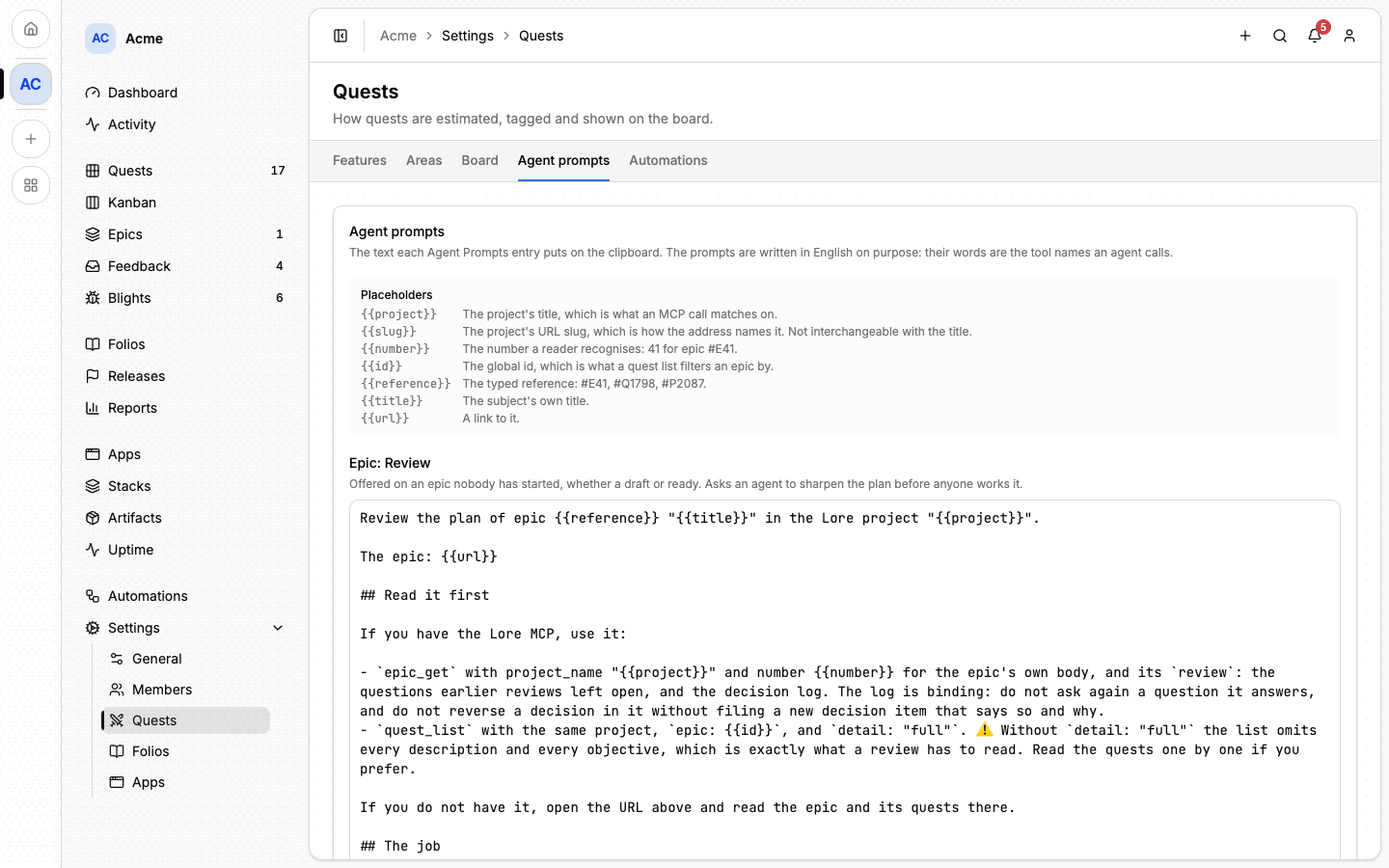
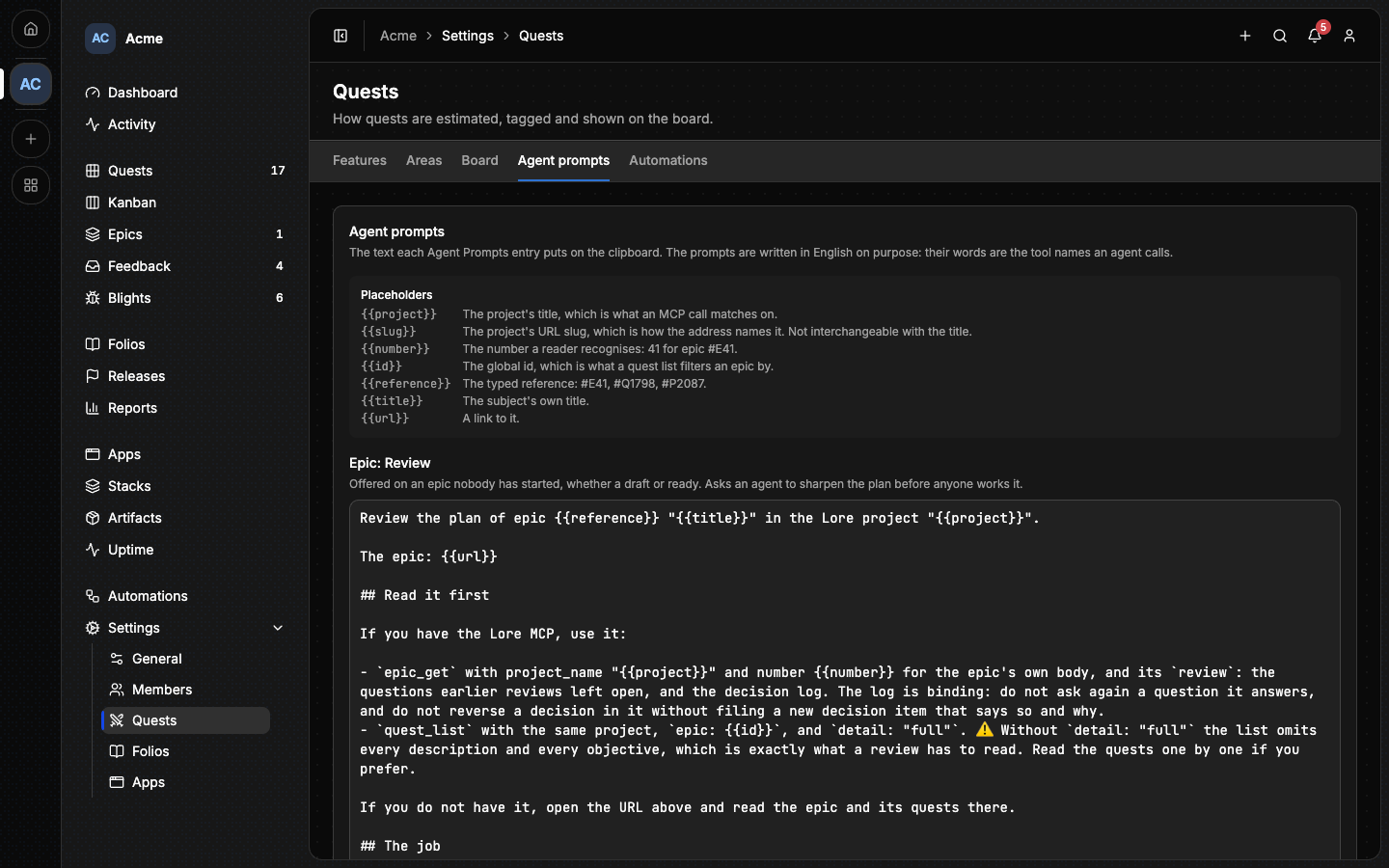
Reset to default discards your version instead of copying today's text into the box, so a prompt you have reset keeps following the built-in one as it improves.
The prompts are written in English on purpose. Their words are the names of the tools an agent calls, so translating them would break them. The menus and messages around them follow your language; the text that is copied does not.
Every project's verify commands and branch rules are different, and that is the edit worth making.
#Placeholders
| Placeholder | What it renders |
|---|---|
{{project}} |
the project's title |
{{slug}} |
the project's URL slug |
{{number}} |
the number you recognise: 41 for epic #E41 |
{{id}} |
the global id, which a quest list filters an epic by |
{{reference}} |
the typed reference: #E41, #Q1798, #P2087 |
{{title}} |
the subject's own title |
{{url}} |
a link to it |
⚠️ {{project}} and {{slug}} are not interchangeable. An agent's tools
find the project by its title (project_name), never by its slug. A
project titled Kanban v2 has the slug kanban-v2, and a prompt that hands
the slug to project_name is answered "not found". Use {{project}} wherever
you name the project to a tool, and {{slug}} only where you build a URL by
hand.
The four prompts about a whole page have no item to name, so {{number}},
{{id}}, {{reference}} and {{title}} are not filled in there.
A placeholder Lore does not know is left in the text exactly as you wrote it,
so a typo shows up in what you paste instead of blanking a line. A placeholder
that happens to appear inside a value is never expanded: a quest titled
Fix {{url}} handling keeps its own title.
#A worked example
An epic Work on it prompt for a project that verifies with one command and does not let an agent merge:
Work epic {{reference}} "{{title}}" of the Lore project "{{project}}" to
completion, quest by quest.

The epic: {{url}}

Read it with `epic_get` (project_name "{{project}}", number {{number}}) and
its quests with `quest_list` (`epic: {{id}}`, `detail: "full"`).

Work in a git worktree, on a branch named after the epic. Never on main.

For each quest: `quest_accept`, do the work, tick each objective with
`quest_objective_set`, then run `make verify` and fix everything red before
moving on. One commit per quest. `quest_complete` with a short note.

When every quest is done, run `make verify` once more on the whole branch,
push the branch, and open a pull request. Do NOT merge to main: this project
merges by review. Then file an outcome folio under the epic with
`folio_create` and `epic_number` {{number}}.
That is the shape most edits take: the same skeleton, with the project's own commands in it and its own rule about who is allowed to merge.
#Who can change them
Any member of the project can read the prompts. Changing one needs the
project:update permission, which the owner holds. See
Members.
The prompts are stored per project, not per member: one project, one set.
#Next
- Connecting an agent: what an agent needs before a pasted prompt can do anything.
- Epics: drafts, reviews and marking an epic ready.
- Assistant: the chat inside Lore.
- MCP tools: the tools the prompts name.