
#Epics
An epic is a bounded piece of work made of several quests: a feature, a migration, a redesign. You write its plan, the team works its quests, and it ends. It is not a category: an area is where work happens and never ends, a release is when something ships, and an epic is what is being built.
Epics are the Epics option of the Plan and track work capability: see Capabilities.
#The epic list and the epic page
Epics in the sidebar lists every epic with its status, its progress, its release, the epic it depends on and its open review questions. Click a row to open the epic.
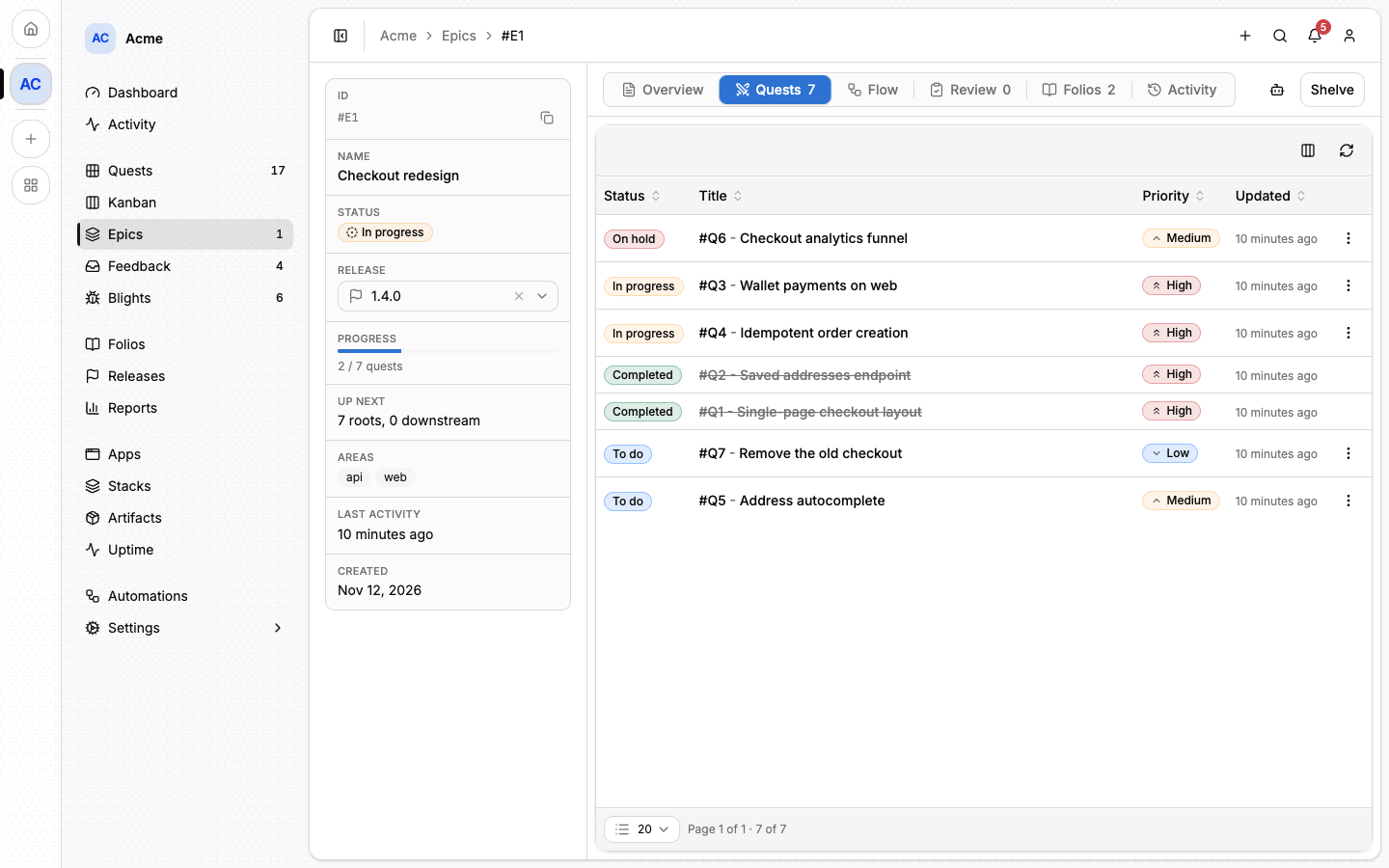
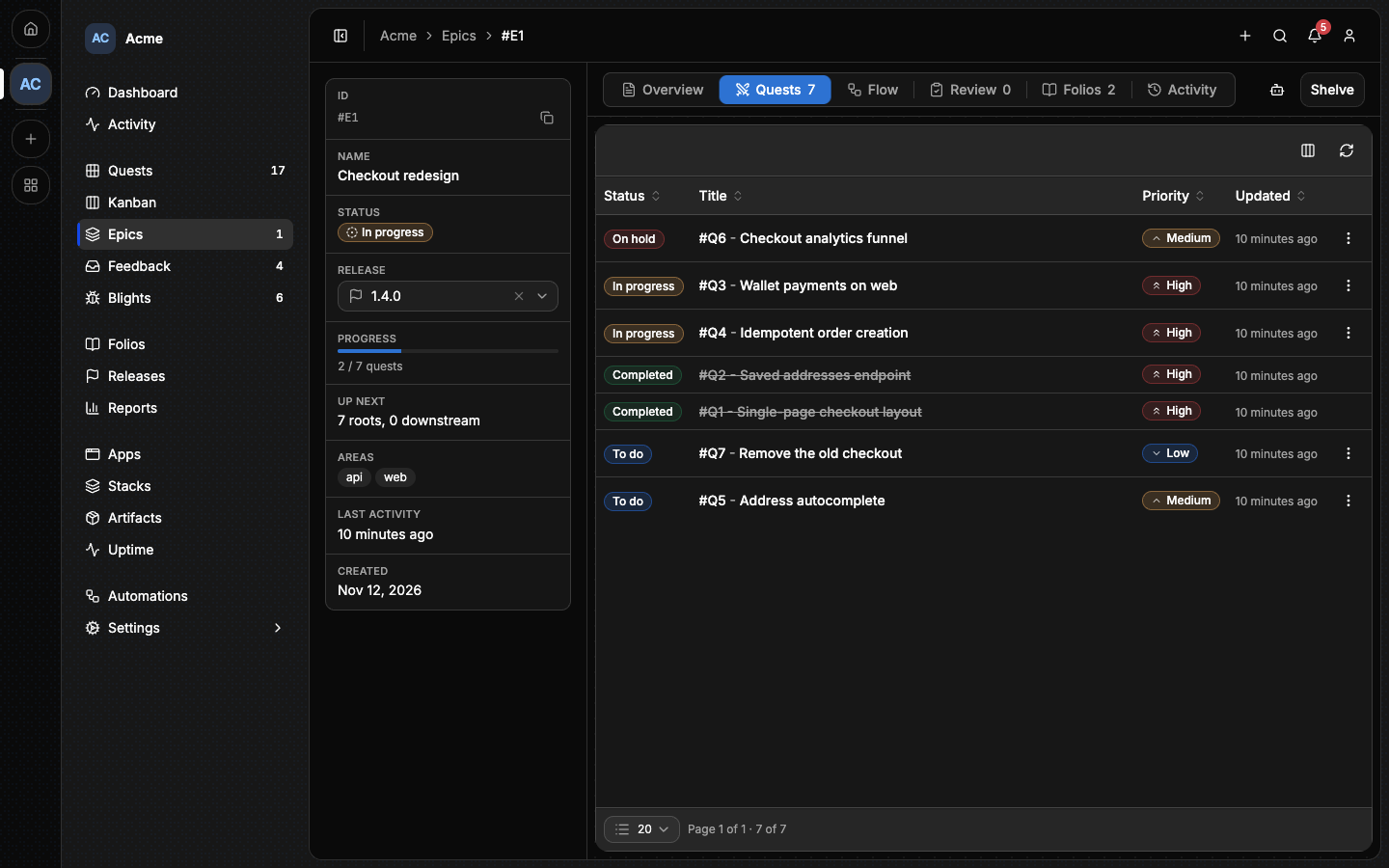
An epic's page is split into tabs:
- Overview: its description.
- Quests: the quests in it.
- Flow: a map of how those quests depend on each other.
- Review: the questions and decisions of its reviews (see Reviewing an epic).
- Folios: the folios filed under it, such as a spec or an outcome note. They can be attached and detached in every status.
- Activity: what happened to it.
The side panel shows its status, its release, its progress and the areas it
touches. An epic is written #E4, and [[#E4]] links to it from any Markdown.
#Creating an epic
- On Epics, click New Epic, give it a Title and a Description, and click Create Epic. It starts as a Draft.
- On its Quests tab, write the plan: New quest creates a quest inside the epic, Attach quest brings in an existing one, and Detach takes one out.
- Set its Release in the side panel, if you know where it ships.
- When the plan is done, click Mark as ready.
#The statuses
An epic's status decides what can be done with everything inside it. You set the first two; the next two follow from the work.
| Status | How it gets there | What it means |
|---|---|---|
| Draft | Every new epic. | The plan is being written. Nothing in it can be started. |
| Ready | You click Mark as ready. | The plan is done. Its quests are in the backlog, open to anyone. |
| In progress | On its own, when its first quest is accepted or assigned. | Work has started. The list of quests is frozen. |
| Completed | On its own, when its last open quest is completed or shelved. | Final. Nothing reopens. |
| Shelved | You click Shelve. | The whole plan is set aside. See Shelving an epic. |
Draft. Quests are filed into the epic, moved in and out, reworded, shelved and brought back, and the whole plan can be deleted. A draft epic's quests stay out of the Quests list, the board and the reports: the epic's own page is where you read them.
Ready. The quests join the backlog, and the plan can still be edited. An epic goes Back to draft as long as nobody has started it. Mark as ready asks first, because it changes what everyone else sees in the backlog, and the first accept after it freezes the plan.
In progress. Quests are accepted, completed, shelved and unassigned, but no quest enters, none leaves, and none is deleted. The page no longer offers Edit or a status move: the only one left happens when the work is done.
Completed. There is nothing to click: an epic completes when every quest in it is completed or shelved. Shelving a quest records that the work was planned and declined, the way skipping an objective does on a quest. A quest somebody accepted and will not finish is unassigned first, then shelved.
A ready epic never completes this way, even if all its quests get shelved: nothing in it was worked, and its plan is still open for a quest that will be.
A completed epic keeps a record that can still be curated. Folios can be filed under it, which is where an outcome note written after the work shipped belongs, and an agent or the command line can still correct its title and description.
#When the plan has started and something is missing
The freeze is on purpose: the plan as committed stays readable, and an amendment gets its own name and its own dates. There are three ways out, depending on what was missed.
- It belongs to a quest already in the plan. Add an objective to that quest. Nothing refuses a new objective.
- It is new work. Open a new epic that depends on this one: Feature, then Feature V2.
- It turned out to be unnecessary. Shelve the quest. The plan keeps the record that it was planned and declined; deleting it would not.
Adding a quest to an epic in progress is refused with the first two named:
Cannot add a quest: Epic #E30 is in progress. Its plan is frozen. File this in a new epic, or add an objective to a quest already in it.
#Depending on another epic
An epic cannot start while the epic it depends on is not completed. An epic may name one predecessor. The epic page shows it in the side panel, as "Blocked by Epic 7" while it blocks and "After Epic 7" once it does not.
You can still mark the dependent epic ready, which lets you plan a whole chain at once. What waits is its first quest: accepting it is refused until the predecessor completes.
Cannot accept quest #Q412: Epic #E22 depends on Epic #E20, which is not completed.
The predecessor is set by an agent or from the command line (lore epic update 22 --depends-on 20), not in the browser. Record one only when the epic cannot
start before the other one ends. An epic that merely overlaps its neighbour
records nothing.
#Shelving an epic
Shelve sets a whole plan aside: it will not be worked now. It is offered on a draft, ready or in-progress epic, and refused on a completed one. It asks first, naming how many open quests it sets aside.
Every open quest in the epic (to do, in progress, on hold) goes back to to do, with its assignee cleared and its hold lifted, and is shelved. Completed quests stay completed, and quests already shelved stay as they were.
A shelved epic is not completed. An epic that depends on it stays blocked, and nothing inside it can be accepted, completed, moved in or out, or deleted until it comes back.
Unshelve brings back exactly the quests the shelve set aside, as to do and unassigned. A quest that was shelved on its own before stays shelved. The epic returns to in progress if work on it had started, and to ready otherwise, a shelved draft included.
Shelving one quest at a time is still how a single piece of work is declined. Shelving them all that way completes an in-progress epic, which says the work was done. Shelving the epic says it was set aside.
#Deleting an epic
⚠️ Deleting an epic deletes its quests with it. You can undo it for a few seconds, then it is permanent. The confirmation names how many quests go.
Delete is for a plan created by mistake or abandoned before anyone started it, so it is offered only while the epic is a draft or ready, from its row's menu on the Epics page. An epic that has started or completed holds work, and is shelved instead. A shelved epic has to be unshelved before it can be deleted. Deleting several epics at once leaves out, and names, any that has started.
The epic's folios are kept: they are unfiled from it, never deleted.
#Reviewing an epic
A plan is usually reviewed before anyone works it, often by an agent you hand the epic's Review Epic prompt to (see Agent prompts). Each review is kept on the epic's Review tab, as numbered items of three kinds:
- Questions for you to answer. Each one comes with its context (what the plan says against what the code does) and two or three suggestions, each with its cost, the reviewer's pick marked Recommended.
- Decisions the reviewer took alone, with the reason.
- Changes the review made: an edit to the epic's description, a quest created or sharpened, linked to what it touched.
Answer a question with Take this on one of its suggestions, or Write an answer of your own, or Waive it to set it aside. A decision you disagree with is overturned with Overturn: you write the decision that replaces it, and the old one leaves the log.
Items are numbered per epic, and the numbers continue from one review to the next, so "answer 3: take B" means the same item in a chat with the agent and on the Review tab.
The answered questions and the decisions that stand are the epic's Decision log. The next review reads it before asking anything, and an agent working the epic treats it as settled. A question still open is yours: the agent stops and reports it instead of answering it.
A review with nothing in it is valid: it records that the plan was read and nothing needed asking. Each review and each answer shows on the Activity tab.
Reviews are written only while the epic is draft or ready. Once its first quest is accepted, they lock with the plan: what was answered stays answered, and a question still open stays open in the record.
#Marking it ready with questions open
The epic list and the Review tab count the questions still open. Marking an epic ready while some are open asks first, naming how many, and offers Open the Review tab as the way out. You can still choose Mark as ready anyway: whether the plan is done is your call, so nothing refuses.
#The roadmap
The roadmap is a read-only page at /<project>/roadmap. It lists the open
releases and the epics inside them, then what has shipped. It shows no quests,
no names and no backlog.
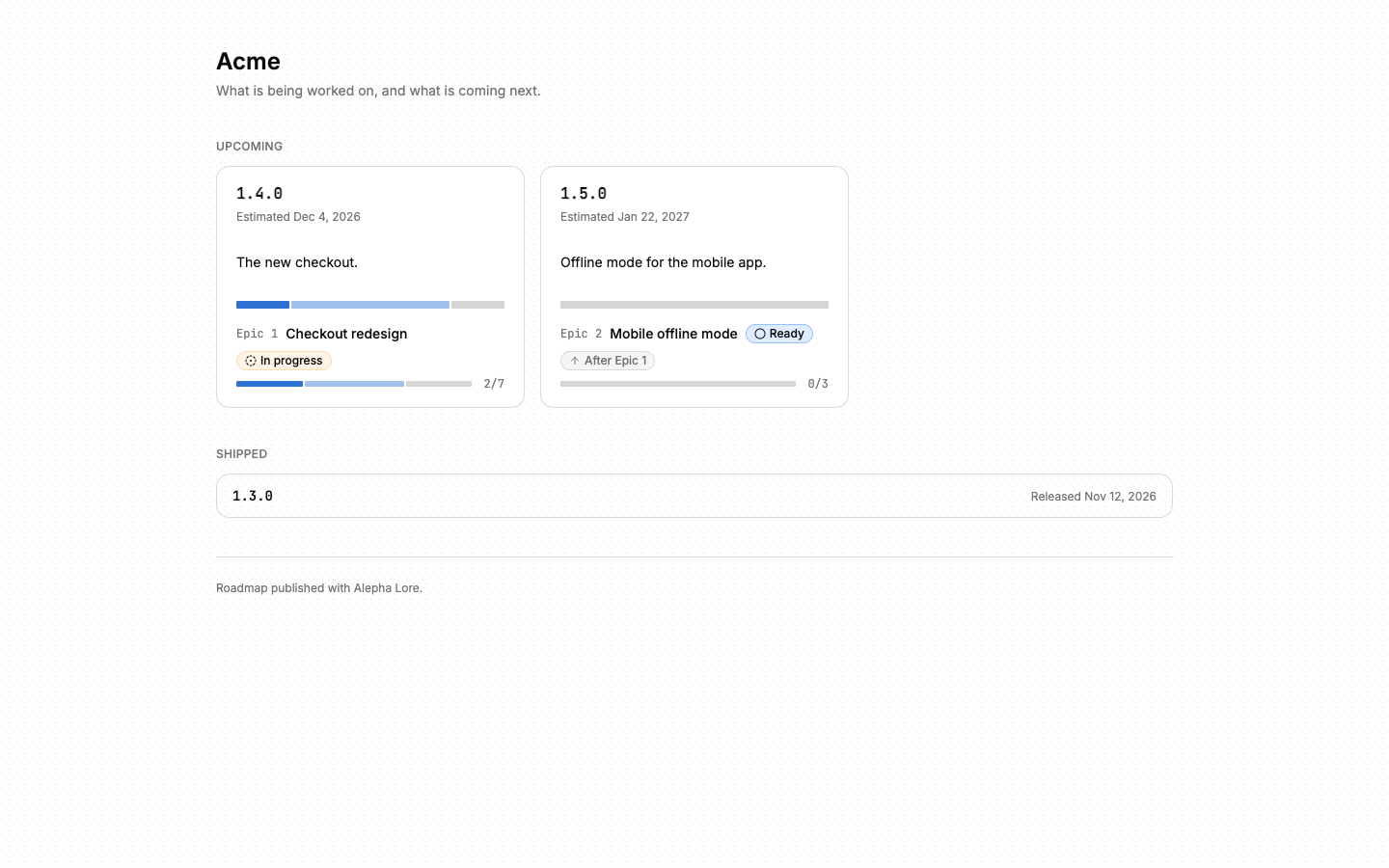
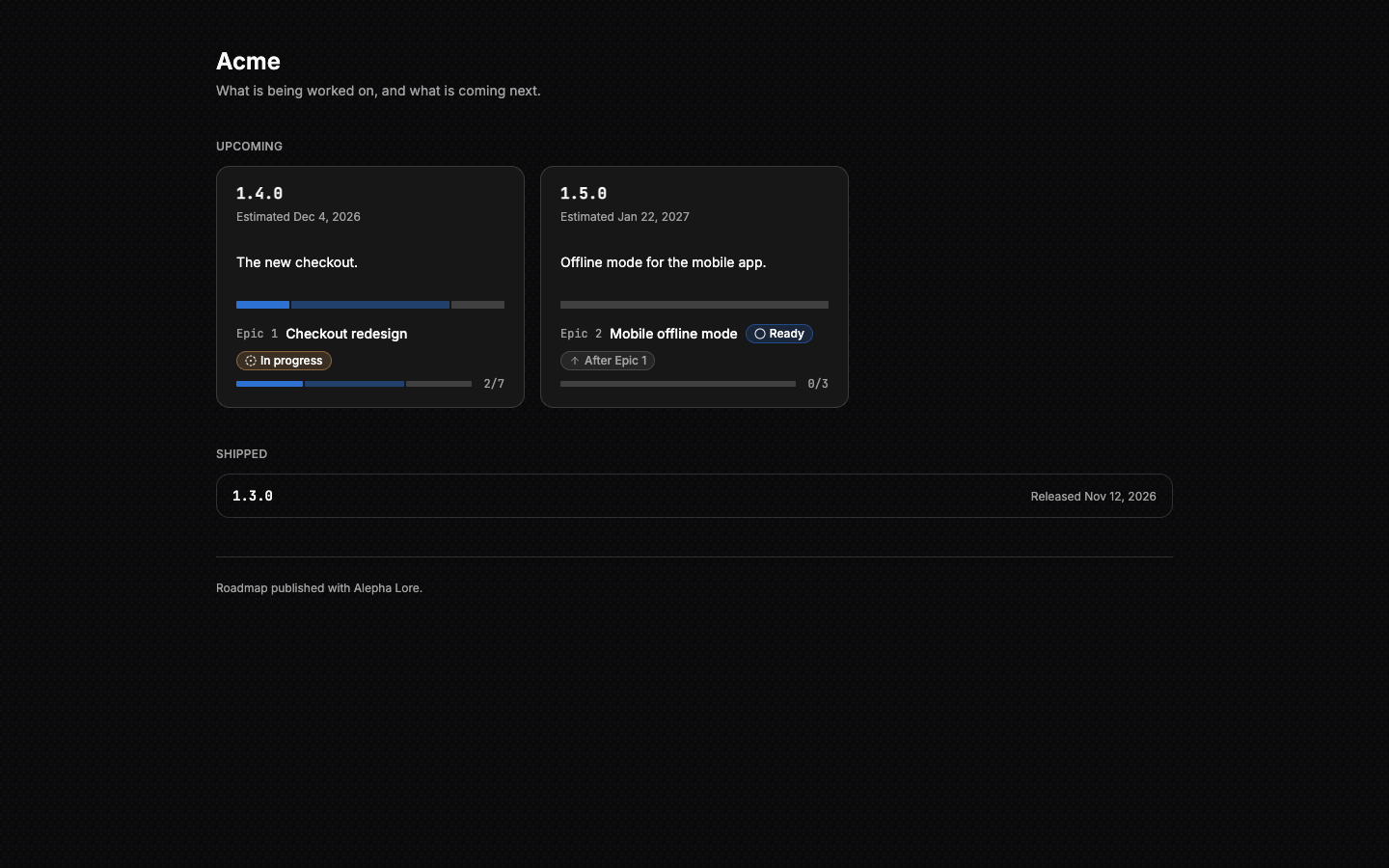
Inside a release, a predecessor sits above the epic that depends on it, which carries an "After Epic 7" chip. Each epic is shown with its status, so an empty progress bar on a draft or ready epic reads as "not started" rather than "stalled". The roadmap draws the order only. Whether an epic is blocked right now is on the epic's own page.
Who can see the roadmap is set in Settings ▸ Quests ▸ Features, under Roadmap: Off, Members only or Public. The same card gives the link to share. A change can take up to a minute to reach visitors.
⚠️ A public roadmap shows anyone with the link your release tags, their target dates and the titles of the epics inside them, including epics you have not started yet.
#From the command line
lore epic create --title "Billing v2" --description "..."
lore epic set status 22 --status ready
lore epic shelve 22
See The lore CLI for every command.
#From an agent
Over MCP the same rules apply, and every refusal is a sentence that names the epic, so an agent knows what happened.
epic_createopens a draft, andquest_createwithepic_numberfiles quests into it.epic_set_statustakesreadyordraftand nothing else. Whether a plan is done is the owner's call, so an agent refused because an epic is a draft says so rather than marking it ready itself.epic_review_createfiles a review, andepic_review_answerrecords an answer by item number.epic_getcarries the open questions and the decision log.- There is no call to complete an epic: it completes with the request that resolves its last open quest.
quest_list hides a draft epic's quests, as the Quests page does. Pass the
epic's id as epic to read one epic's quests whatever its status, or
includeDrafts: true to see everything. The full list is in
MCP tools.
Going the other way, an epic can hand itself to an agent from the browser. With the Agent prompts option on, its Agent Prompts menu offers Review Epic while the plan is still open (draft or ready), and Work on it, which hands the whole epic over, quest by quest. On a draft epic, Work on it marks the epic ready as it copies, so a finished plan is handed over in one click.
#Next
- Quests: the work inside an epic.
- Releases: where an epic ships.
- Agent prompts: hand an epic to a coding agent.
- Reports: how the work is flowing.